
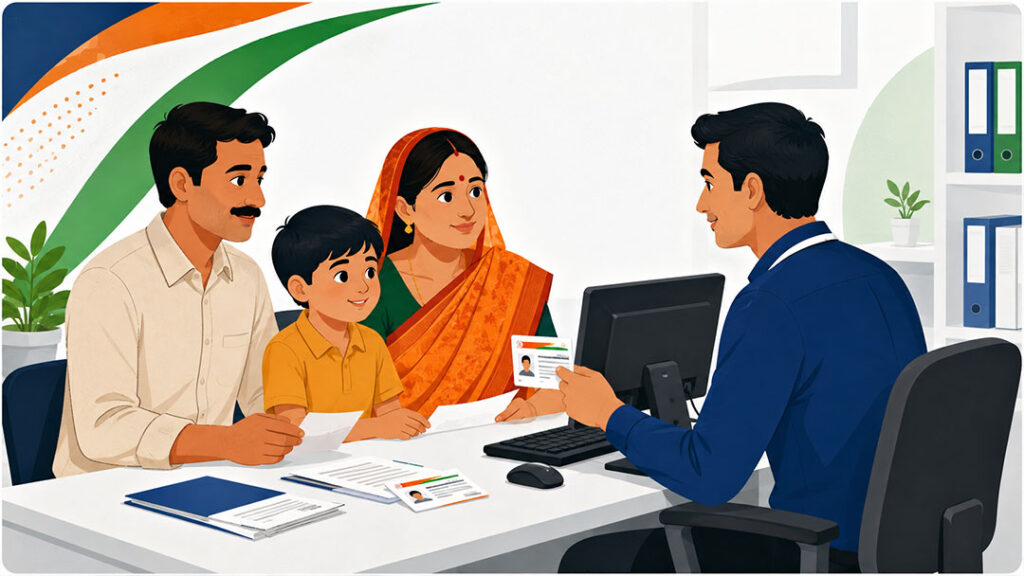
How to Apply for Ayushman Bharat PM-JAY Card
The Ayushman Bharat Pradhan Mantri Jan Arogya Yojana (PM-JAY) provides health coverage of up to ₹5 lakh per family per year for secondary and tertiary care hospitalisation. If your family is eligible, you can apply for an Ayushman Bharat card through multiple channels — both online and offline.
This guide covers everything you need to know about applying for the PM-JAY card in 2026, including the online process through the ABHA portal, offline application at Common Service Centres (CSC), required documents, and what to do after receiving your card.
Who Can Apply for Ayushman Bharat Card?
Before applying, you need to check whether your family is eligible under the PM-JAY scheme. The scheme covers approximately 55 crore Indians (about 12 crore families) based on the Socio-Economic Caste Census (SECC) 2011 data. Eligible categories include families identified as deprived under specific criteria — including those without shelter, manual scavengers, destitute households, tribal groups, bonded labourers, and families living on alms.
You can check your eligibility by calling the PMJAY helpline at 14555, visiting the official website at pmjay.gov.in, or visiting your nearest Common Service Centre with your Aadhaar card or ration card.
Method 1 — Apply Online Through ABHA Portal
The Ayushman Bharat Health Account (ABHA) portal allows you to apply for your PM-JAY card digitally. Here is the step-by-step process:
Step 1: Visit the official ABHA portal or download the Ayushman Bharat (ABHA) app from Google Play Store or Apple App Store.
Step 2: Enter your mobile number linked to your Aadhaar card. You will receive an OTP for verification.
Step 3: After OTP verification, enter your Aadhaar number for identity verification. A second OTP will be sent to your Aadhaar-linked mobile number.
Step 4: Once verified, the system will check your eligibility against the PMJAY beneficiary database. If you are eligible, your ABHA Health ID will be created automatically.
Step 5: Download your e-card from the portal or app. You can also save it in DigiLocker for easy access.
Method 2 — Apply Offline at Common Service Centre (CSC)
If you are not comfortable with the online process, you can visit any Common Service Centre (CSC) near you. These centres are available in almost every block and panchayat across India.
Step 1: Locate your nearest CSC using the CSC Locator or ask at your local panchayat office.
Step 2: Visit the CSC with your Aadhaar card, ration card, or any government-issued photo ID.
Step 3: The CSC operator will check your eligibility in the PMJAY system using your Aadhaar number or family details.
Step 4: If eligible, the operator will complete your registration, capture your photo, and generate your PM-JAY e-card on the spot.
Step 5: Collect your printed card or ask for the digital version to be sent to your mobile number.
Method 3 — Apply at Empanelled Hospital
You can also get your Ayushman Bharat card made at any PMJAY empanelled hospital. Every empanelled hospital has an Ayushman Mitra — a dedicated help desk officer who assists patients with the PM-JAY process.
Visit the Ayushman Mitra desk at the hospital with your Aadhaar card. The Ayushman Mitra will check your eligibility and help you generate your e-card if you are a first-time applicant. This is especially useful when you need immediate treatment — you can get your card made and start the cashless treatment process on the same day.
Documents Required for Ayushman Bharat Card Application
Keep the following documents ready when applying:
- Aadhaar Card — mandatory for identity verification and biometric authentication
- Ration Card — used for cross-referencing family details with SECC data
- Mobile Number — linked to Aadhaar for OTP verification
- Passport-size Photo — for physical card generation (not needed for e-card)
- Any Government ID — voter ID, PAN card, or driving licence as additional verification
How to Download Your Ayushman Bharat Card
If you already have an Ayushman Bharat card but need a copy, you can download it through multiple channels:
Through ABHA App: Log in with your registered mobile number, navigate to “My Cards” section, and download the PDF.
Through DigiLocker: If your card is linked to DigiLocker, open the DigiLocker app, search for “Ayushman Bharat” in the issued documents section, and download.
Through PMJAY Website: Visit pmjay.gov.in, click on “Am I Eligible”, enter your mobile number and state, verify with OTP, and download your card.
What to Do After Getting Your Card
Once you have your Ayushman Bharat card, you can use it at any PMJAY empanelled hospital across India for cashless treatment. Here are the next steps:
Find a hospital: Use PMJAYHospitals.com to search for empanelled hospitals near you by state, district, and the medical specialty you need.
Verify empanelment: Before visiting, call the hospital to confirm they are currently accepting PMJAY patients for your required treatment.
Carry your documents: When visiting the hospital, carry your Ayushman Bharat card (physical or digital), Aadhaar card, and any medical reports or referral letters you have.
Common Issues and Solutions
Not found in the system: If the system shows you are not eligible but you believe your family qualifies, visit your nearest CSC with all family documents. The operator can help escalate your case to the state health agency.
Mobile number mismatch: If your Aadhaar-linked mobile number has changed, you need to update it at your nearest Aadhaar enrolment centre before applying for the PM-JAY card.
Card not accepted at hospital: If a hospital refuses your valid PMJAY card, you can file a complaint by calling the PMJAY helpline at 14555 or through the Ayushman Bharat app’s grievance section.
Frequently Asked Questions
Is there any fee for the Ayushman Bharat card?
No. The Ayushman Bharat PM-JAY card is completely free. If anyone charges you money for the card, it is a fraud. Report it to 14555.
Can I use my card in any state?
Yes. The PM-JAY card is valid at any empanelled hospital across India, not just in your home state. This is called the portability feature of the scheme.
How long does the card take to get?
Through the online process or at a CSC, you can get your e-card on the same day. Physical card printing may take a few additional days depending on your state.
Is Ayushman Bharat card valid for the entire family?
Yes. The PM-JAY scheme covers the entire family (as per the SECC database) with a combined cover of ₹5 lakh per year. All members listed in your family unit are covered.
Disclaimer: PMJAYHospitals.com is an independent directory and is not affiliated with the National Health Authority or any government body. For official information, visit pmjay.gov.in or call 14555.